
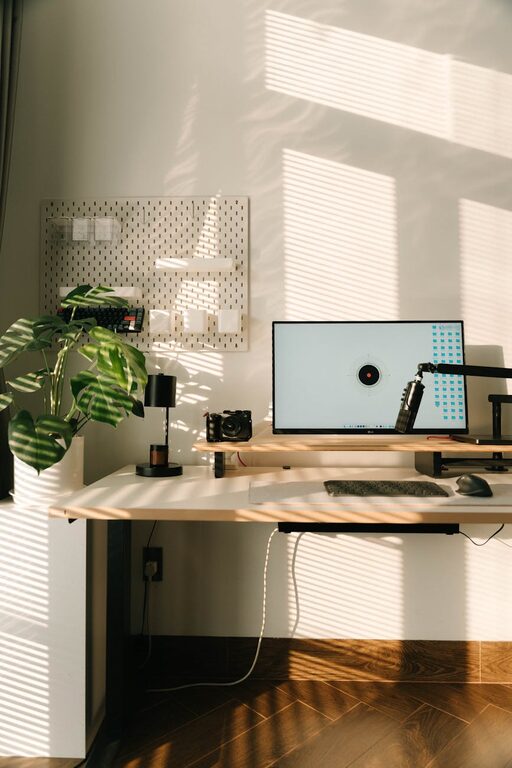
Creating a relaxing home workspace is essential for anyone working remotely or spending significant time on personal projects. A well-designed area can reduce stress, increase focus, and ultimately boost productivity. In this post, we’ll explore practical tips to help you transform your home workspace into a calm and efficient environment.
Why a Relaxing Workspace Matters
Your surroundings can have a big impact on how well you work. When your workspace feels cluttered or uncomfortable, it’s harder to concentrate and stay motivated. By creating a space that feels inviting and peaceful, you set yourself up for better work habits, less mental fatigue, and a more enjoyable workday.
Choose the Right Location
Find Natural Light
Natural light is one of the best features you can have in a workspace. It helps regulate your body’s natural rhythm and improves mood. Position your desk near a window if possible, but avoid direct glare on your screen. If natural light is limited, consider using daylight bulbs to replicate a bright yet soft ambiance.
Minimize Distractions
Choose a quiet corner of your home, away from high-traffic areas. Inform family members or roommates about your work hours to reduce interruptions. Using noise-canceling headphones or soft background music can also help maintain focus.
Invest in Comfortable Furniture
Choose an Ergonomic Chair
Since you’ll be sitting for long periods, an ergonomic chair is a smart investment. Look for one with good lumbar support, adjustable height, and comfortable cushions. Sitting comfortably reduces strain on your back and neck, preventing discomfort that can distract you.
Select a Suitable Desk
Your desk should have enough surface area for your computer, notebook, and any other tools you use regularly. Adjustable desks that allow you to switch between sitting and standing are increasingly popular and can improve both comfort and productivity.
Organize Your Workspace
Declutter Regularly
A cluttered desk can lead to a cluttered mind. Keep only essential items on your workspace and store other materials nearby but out of immediate sight. Using drawers, shelves, or storage boxes keeps everything organized and easily accessible.
Use Cable Management
Loose cables can create a messy environment. Cable clips, trays, and sleeves can help keep cords tidy and out of the way. This small change contributes to an overall sense of orderliness.
Incorporate Relaxing Elements
Add Greenery
Plants not only improve air quality but also add a touch of nature that promotes calmness. Easy-care plants like succulents, pothos, or spider plants are great choices for a home office.
Use Calming Colors
Soft, neutral tones such as light blues, greens, or beiges promote relaxation. Consider painting your workspace walls these colors or incorporating them into your accessories and furniture.
Personalize Mindfully
Decorate with items that inspire or soothe you, such as artwork, photos, or meaningful objects. Avoid visual clutter by limiting personalization to a few thoughtfully chosen pieces.
Optimize Lighting and Screen Setup
Use Adjustable Lighting
In addition to natural light, have multiple light sources such as desk lamps and floor lamps that you can adjust for brightness and direction. This reduces eye strain and creates a comfortable atmosphere.
Position Your Screen Properly
Place your computer monitor at eye level and about an arm’s length away. This helps reduce neck strain and allows for a more natural posture.
Create a Routine for Your Workspace
Set Work Hours
Having a clear start and end time for work helps your brain associate the space with focus and productivity. Avoid working late into the evening to maintain a healthy work-life balance.
Take Breaks
Regular short breaks can boost mental clarity and prevent burnout. Use your breaks to stretch, step outside, or practice deep breathing exercises.
Use Scent and Sound Wisely
Pleasant Scents
A subtle diffuser with essential oils like lavender or eucalyptus can create a calming atmosphere. Be careful not to overdo scents, as strong fragrances can be distracting.
Background Sounds
Many people find white noise, nature sounds, or soft instrumental music helpful. Experiment with different options to see what helps you concentrate best.
Keep Technology in Check
Minimize Notifications
Turn off non-essential notifications on your devices to avoid distractions. Consider using focus modes or apps to stay on task.
Maintain Your Tech
Keep your computer and devices up to date and organized. A smooth-running system reduces frustration and helps you work efficiently.
Final Thoughts
A relaxing home workspace doesn’t have to be expensive or complicated to create. With thoughtful choices about location, comfort, organization, and atmosphere, you can design a space that supports your productivity and well-being. Start with small changes and build an environment that helps you feel calm, focused, and ready to take on your tasks.
By investing a little time and attention in your workspace, you’ll likely find that your workdays are more enjoyable and your output more effective. Happy working!